 PromptPolish
Live suggestions
Grammar, spelling and clarity underlines as you type, with one-click fixes and an explanation for each.
PromptPolish fixes grammar, turns Hindi, Gujarati or Hinglish into simple English, and polishes your prompt as you type in ChatGPT, Claude, Gemini and more. It runs on your device. No account. No tracking.
Needs Chrome 138 or newer on desktop. Grammar checking works everywhere; on-device rewriting needs a supported device.
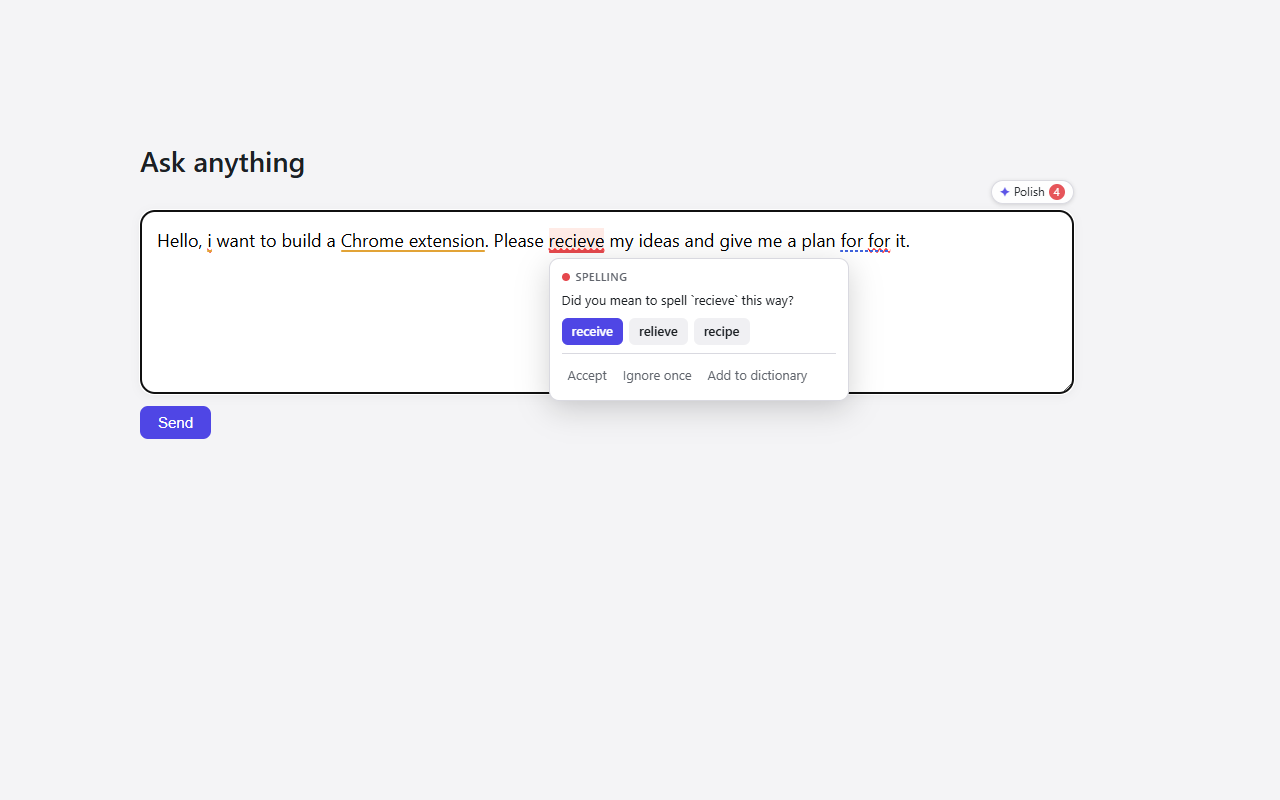
Right in the prompt box, one key press away.
Grammar, spelling and clarity underlines as you type, with one-click fixes and an explanation for each.
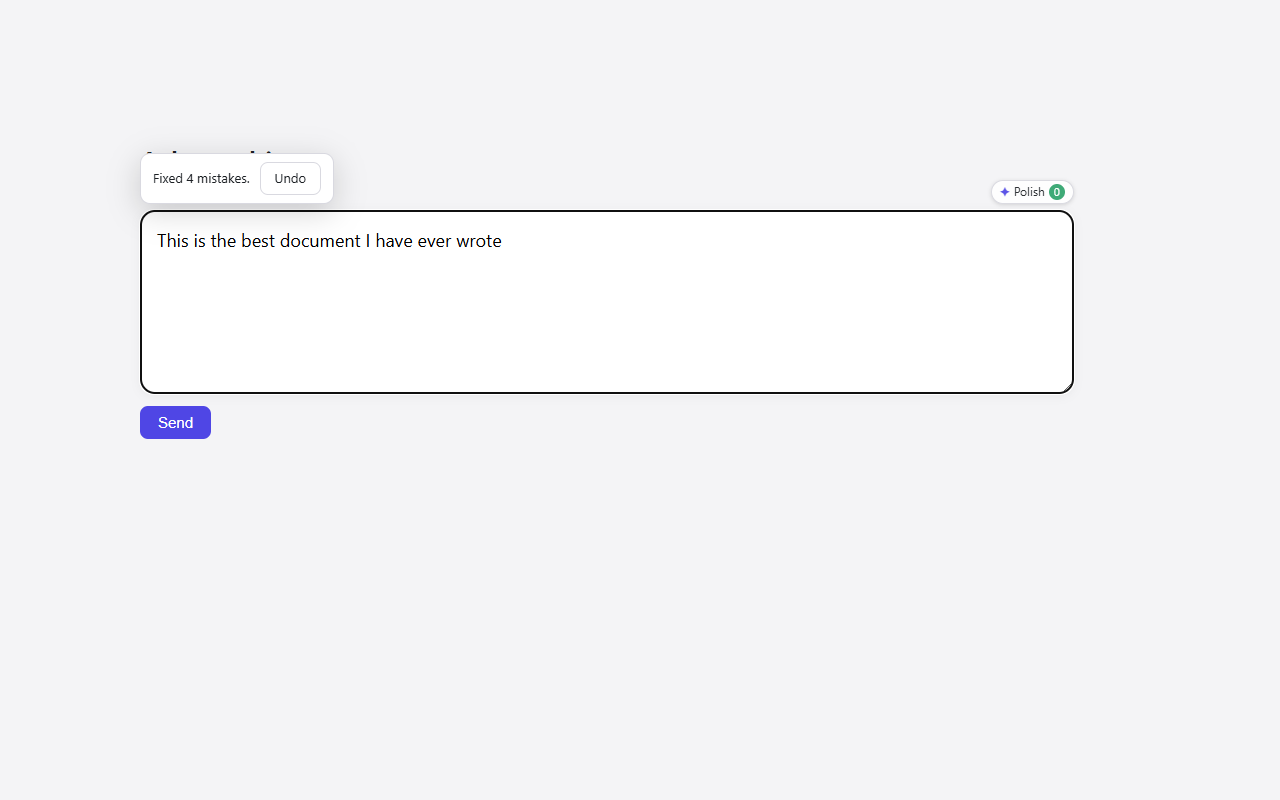
Press Alt+G and the whole prompt is corrected in place. Undo is one click away.
Write in Hindi, Gujarati or any language, in its own script or in English letters. Press Alt+T and get clear, everyday English.
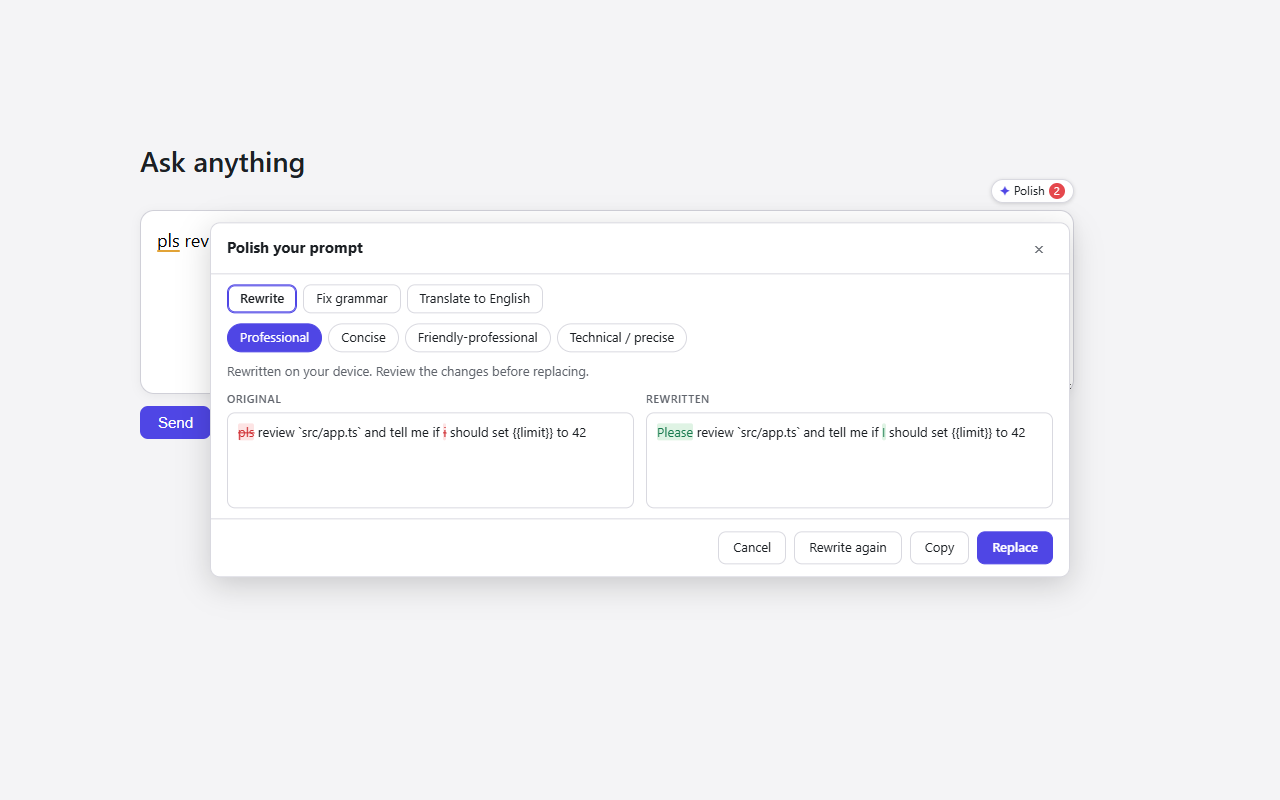
Choose Professional, Concise, Friendly or Technical, and review a side-by-side diff before anything changes.
Code, URLs, file paths, numbers, quotes and {{placeholders}} are protected and checked after every rewrite.
No sign-in, and IT can lock the site list or switch off cloud features with standard Chrome policy.
Three steps, no setup.
Add PromptPolish to Chrome. There is nothing to sign up for.
Open an AI chat and start typing. Mistakes are underlined; hover one to fix it.
Fix everything, translate, or polish the whole prompt, then replace it or undo.
The rewrite panel shows your original next to the new version, with every change highlighted. Replace it, copy it, or cancel. Ctrl+Z still works in the chat box.
Press Alt+G and PromptPolish corrects grammar and spelling in place and tells you what it fixed. Changed your mind? Click Undo.
| Shortcut | What it does |
|---|---|
| Alt+G | Fix grammar and spelling. Runs locally in your browser. |
| Alt+T | Translate to simple English (Hindi, Gujarati and more, even typed in English letters). |
| Alt+U | Polish with your default tone. |
| Alt+Shift+P | Open the rewrite panel with all modes and a diff. |
| Alt+E | Elite prompt: turn a rough idea into a detailed, specific prompt. |
You can change the first four shortcuts at chrome://extensions/shortcuts.
Active on these sites by default. Add or remove sites in Settings.
PromptPolish is an independent project and is not affiliated with, endorsed by or sponsored by any of these services.
Read the full Privacy Policy and Terms of Use.
Chrome extensions cannot run inside desktop apps, so there is a small Windows companion (beta).
Select text and press Alt+G to fix grammar offline, or Alt+T / Alt+U / Alt+E with a provider you choose.
Grammar fixes never leave your PC. Other actions are off until you pick a provider and confirm. Keys are encrypted with Windows.
Windows 10 or 11. The app is unsigned, so Windows SmartScreen may ask you to confirm.
No. Install it and it works. There is no sign-up and no login.
Not by default. Grammar checking and on-device rewriting happen on your device. Only if you turn on cloud mode with your own API key does text go to the provider you picked, and only when you ask for it.
Hindi, Gujarati, Marathi, Urdu and many others, written in their own script or typed in English letters (for example "mare ek app banavvi chhe"). Quality is best with a cloud model; the on-device model can be less exact with English-letter text, so always review the result. Undo restores your original.
Chrome's built-in AI needs a supported desktop device and a one-time model download. Without it, grammar checking and suggestions still work, and you can optionally use cloud mode.
No. Code, URLs, file paths, numbers, quoted text and placeholders are protected, and a rewrite that alters them is rejected so your text stays as it was.
Yes. Administrators can disable cloud mode, lock the list of sites and set a shared dictionary with Chrome enterprise policy.
The extension is free. If you use cloud mode, your provider bills you directly for your own API usage.